Building Wheel Match with Evermove
We built Wheel Match with Evermove in Singapore to help staff find replacement castor wheels by photo and check the fit against supplier catalogues.
A wheel in a customer’s photo can look like an exact match for one on a catalogue page. Its diameter, bearing or load rating can still be different. Staff have to check those details before recommending a replacement castor wheel.
We built Wheel Match with Evermove, a Singapore supplier of wheels and castors, to help staff find and compare possible matches. We also built the Wheel Guide for customers who have the part in front of them and don’t know its catalogue name.
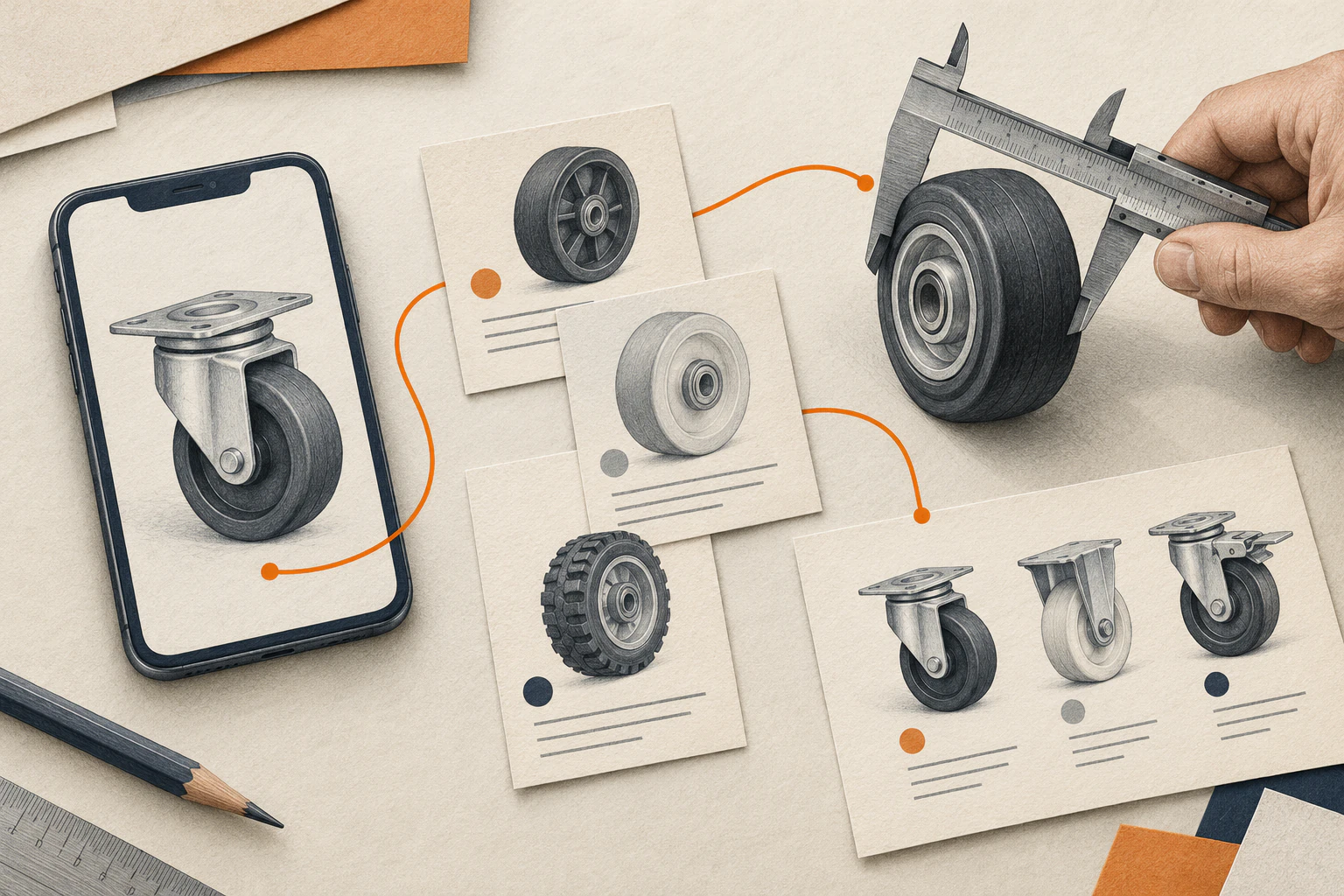
The wheels and catalogue cards in this illustration are fictional.
A wheel on its own or a complete castor
Someone asking for a replacement wheel may mean the wheel on its own or the complete castor, including the bracket that fixes it to the equipment. For a loose wheel, staff may ask for the wheel bore, the diameter of the hole the axle passes through. For a complete castor, they also need to know how the bracket attaches.
We used those distinctions to choose the questions in the guide and the filters in Wheel Match. A customer can skip a measurement and send the enquiry. Staff can ask for it when they reply.
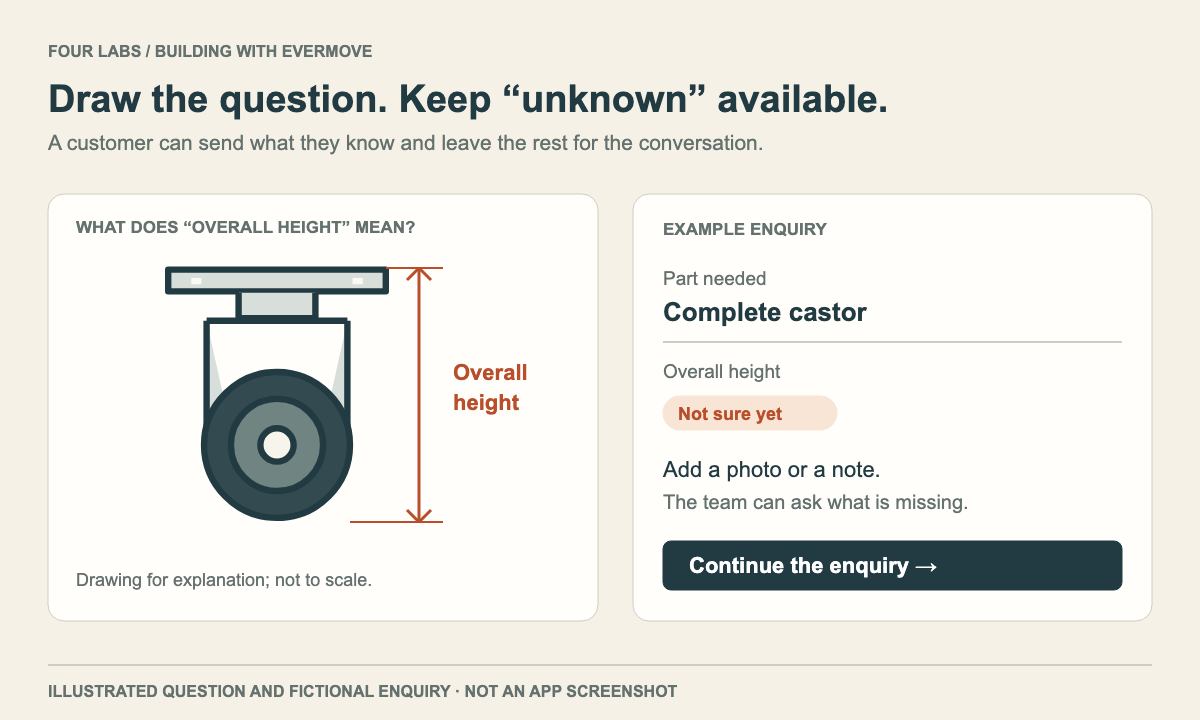
On this castor, overall height runs from the floor to the top of the mounting plate. Wheel diameter is the distance across the wheel itself.
Searching wheel and castor catalogues by photo
A heading in a supplier catalogue can apply to a whole table, and one illustration can represent several sizes. When we split a table into product records, we kept a reference to the catalogue page so staff could check each entry. If a supplier left a specification blank, we left it blank too. The figure in the next row might belong to a different wheel.
Wheel Match brings filters, typed requests and photo search into the same view. Someone who knows a dimension can start there. Someone holding a photo can pull up wheels that look similar and compare their specifications.
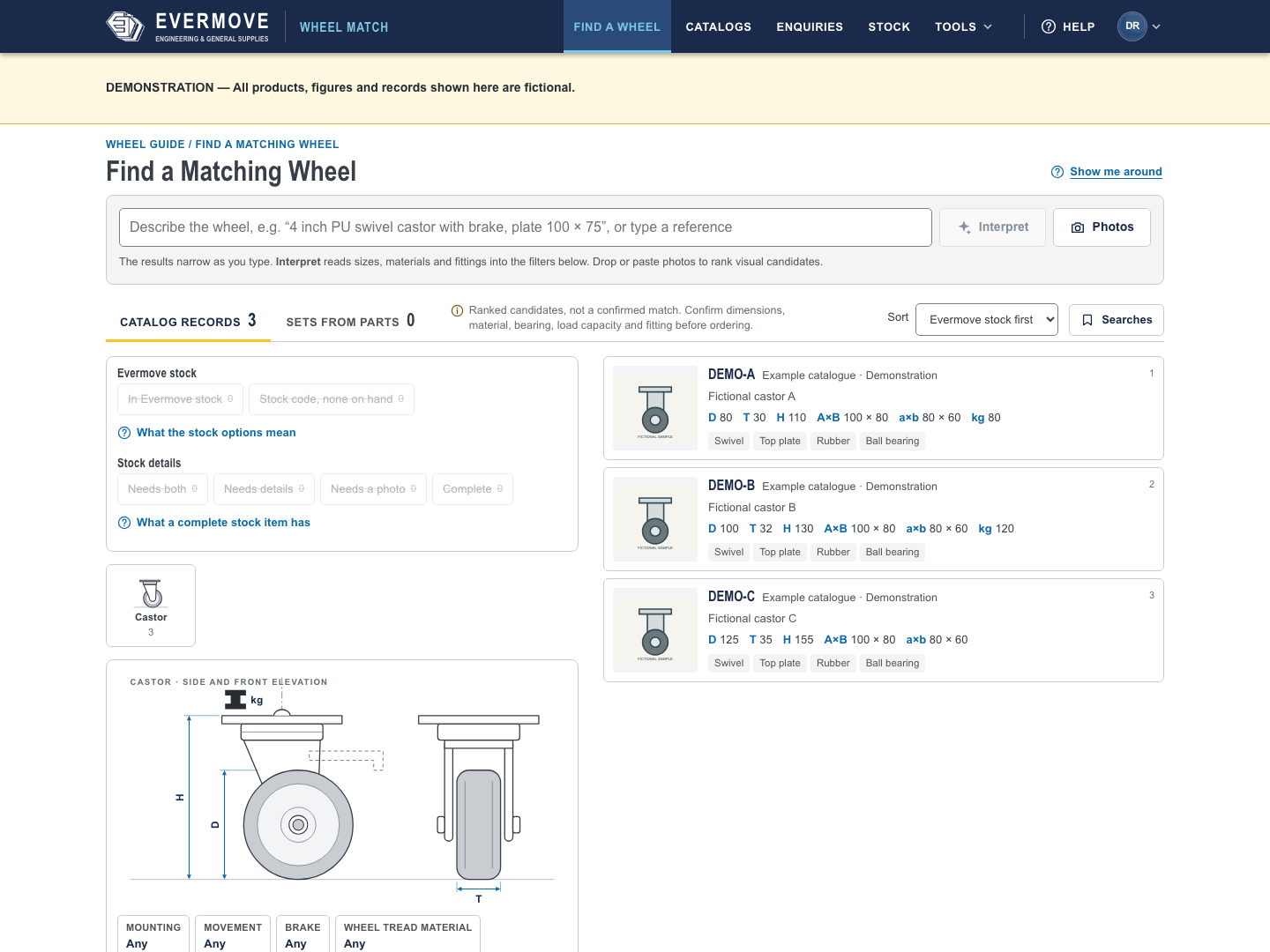
The three castors on this Wheel Match screen have different diameters. Every product and specification shown is fictional.
Keeping corrections through a stock update
Someone may add a clearer photo, correct a specification or check a dimension against the physical part. We kept those edits separate from stock updates so a fresh upload preserves the measurement someone checked by hand.
Staff can also save a search. When the customer sends the missing measurement, they can reopen the same filters and narrow the list.
Why we stopped the camera trial
We also tried using a phone camera to measure parts. The measurements fell short of the accuracy we needed, so we dropped the app. Staff can still use a photo to find possible matches in Wheel Match, then check the dimensions against the catalogue or the part itself.
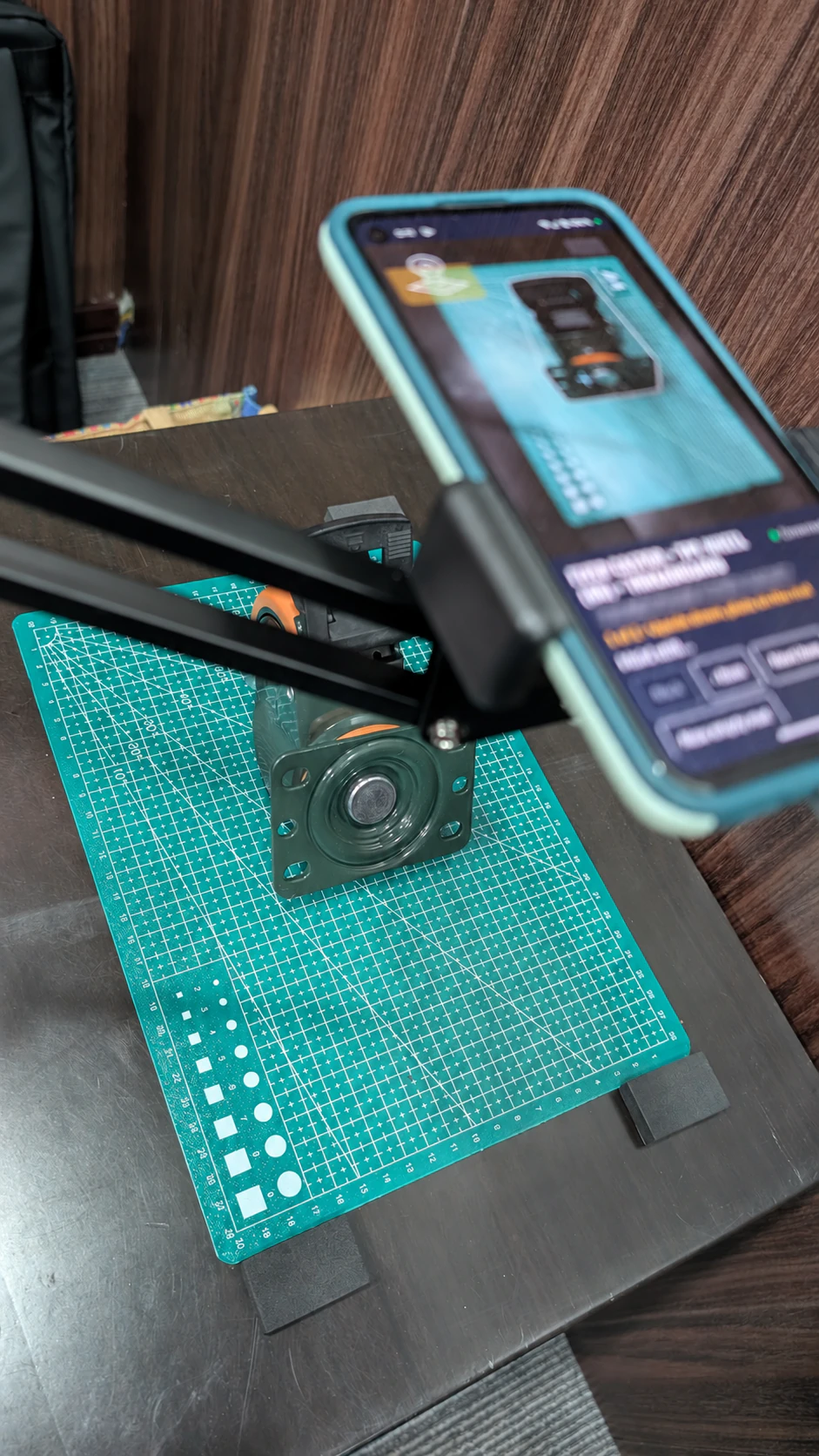
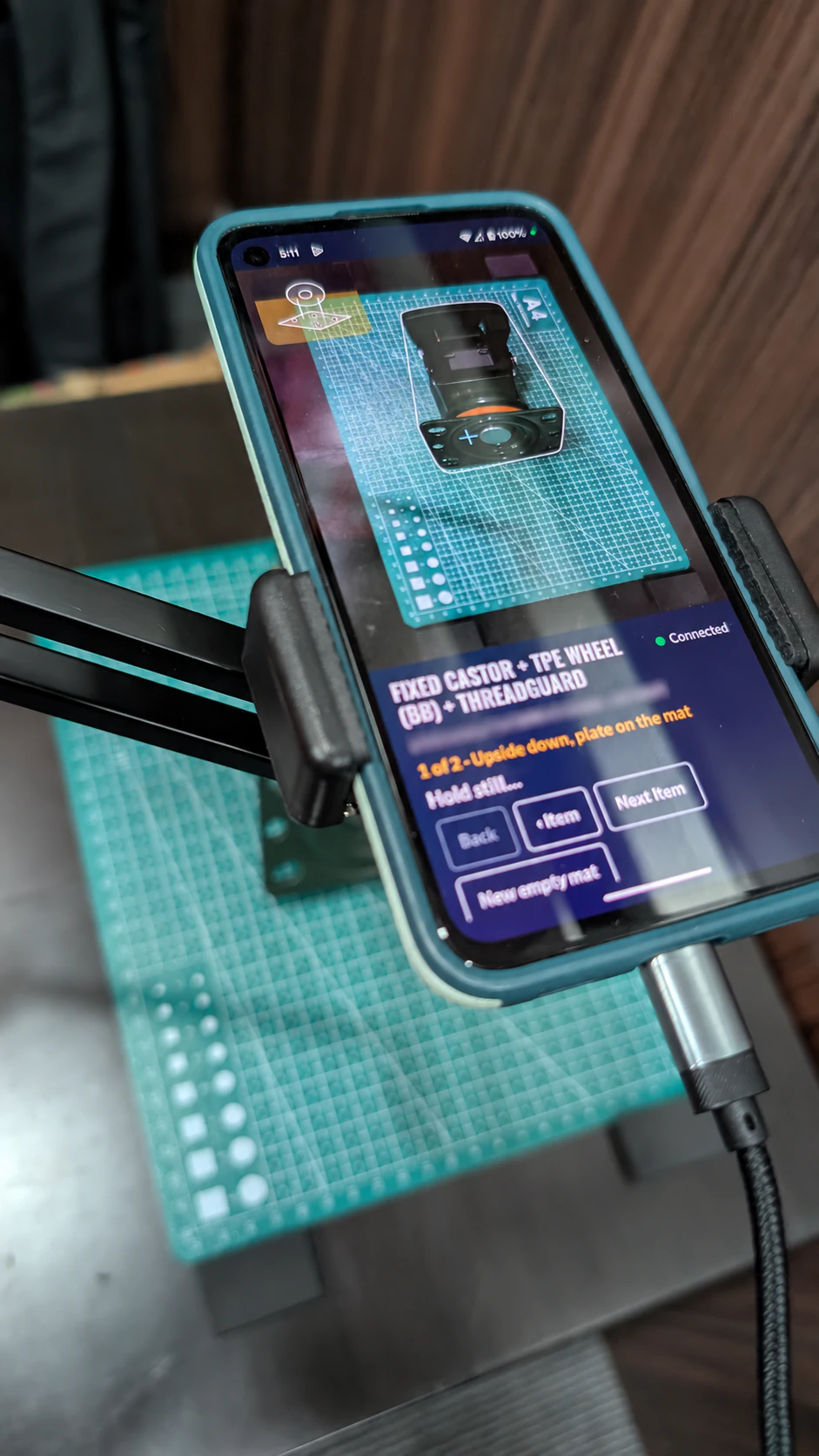
The phone and test part during the measurement trial. We blurred the stock code and rack reference in the photos.
If you need a replacement, photograph the wheel and the way it attaches to the equipment. You can send the photos and any measurements you have through Evermove’s Wheel Guide.
- Project
- Insights
- Section
- Building with Clients
- Written by
- The Four Labs
- Updated
- 18 Nov 2026